Raspberry Pi Accessories for Media Center Builds
Raspberry Pi accessories for media center builds are the hardware components required to power, connect, control, cool, and expand a Raspberry Pi so it functions reliably as a home media player. According to Raspberry Pi Ltd., a Raspberry Pi 5 media-center build requires a USB-C power supply capable of delivering up to 5 V at 5 A (25 W) to provide full performance, while the operating system is typically installed on a microSD card or compatible storage device. The exact accessories depend on the Raspberry Pi model because power connectors, display outputs, and supported peripherals differ between generations.
The exact accessories depend on the Raspberry Pi model because power connectors, display outputs, and supported peripherals differ between generations.
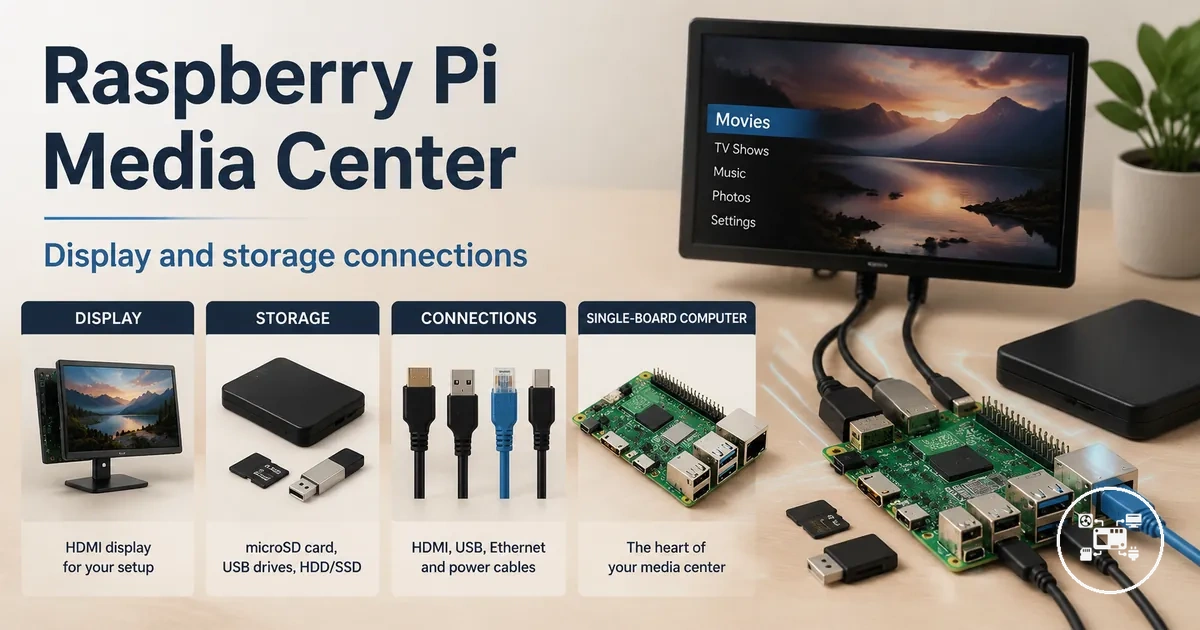
For a modern Raspberry Pi media center, the core accessories include a USB-C power supply, a microSD card with at least 32 GB capacity, a compatible micro-HDMI-to-HDMI cable, an input device such as a Bluetooth or USB keyboard, mouse, or remote control, and optional external USB storage for large media libraries. Raspberry Pi Ltd. specifies dual micro-HDMI outputs on the Raspberry Pi 5 with support for up to two 4K displays at 60 Hz, making cable compatibility an important selection criterion.
recommends its official 25 W USB-C Power Supply for Raspberry Pi 5 to support demanding USB peripherals without power limitations.
For example, Elecrow's Raspberry Pi 5 media-center build guide uses a 32 GB microSD card as the minimum operating-system storage, while Raspberry Pi Ltd. recommends its official 25 W USB-C Power Supply for Raspberry Pi 5 to support demanding USB peripherals without power limitations. In practical terms, a user with a 300 GB video library would typically keep the operating system on the microSD card and store media on an external USB SSD or hard drive because the minimum-capacity system card is intended primarily for the operating system rather than extensive media storage.
Selecting accessories that match the exact Raspberry Pi model reduces compatibility problems before software installation begins.
Selecting accessories that match the exact Raspberry Pi model reduces compatibility problems before software installation begins. Verifying the required power connector, HDMI connector type, storage interface, and intended media capacity helps ensure that the media-center build operates reliably without purchasing unnecessary hardware.
Table of Contents
Media Center Accessories for Raspberry Pi Builds
Media center accessories for Raspberry Pi builds are the hardware components that provide power, display output, boot storage, media storage, cooling, audio, and user control for video or music playback. They form a media-specific subset of Raspberry Pi accessories, and compatibility must be matched to the board generation, connector type, operating system, and intended playback setup.
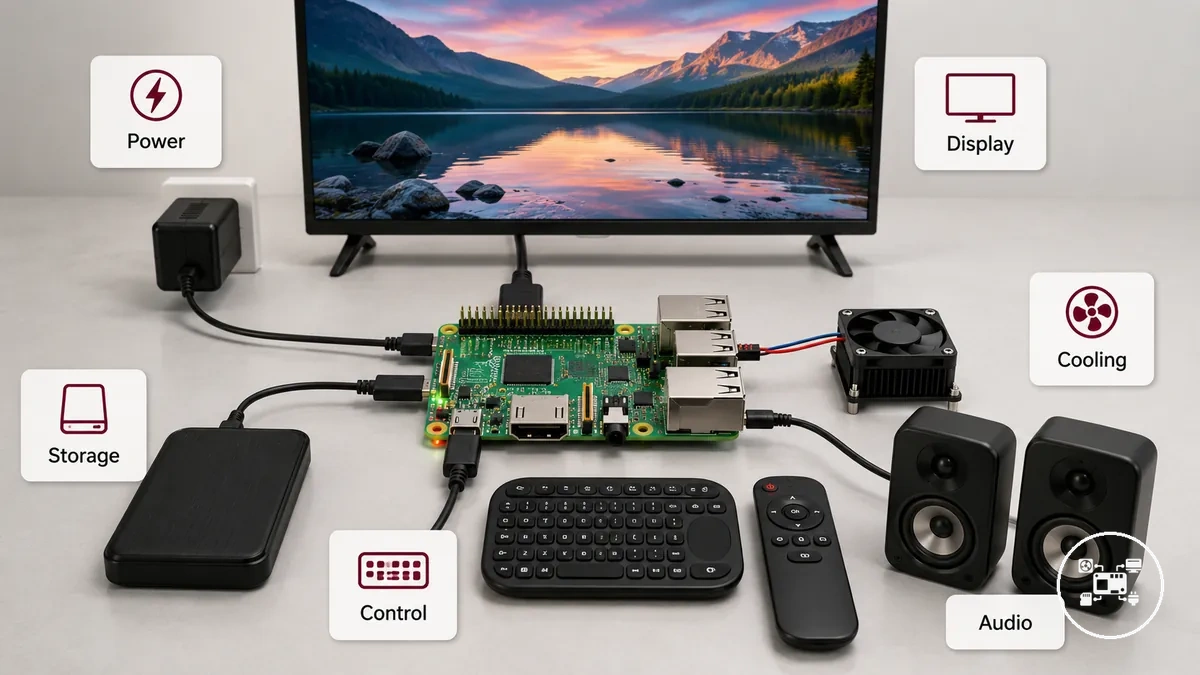
For a Raspberry Pi 5 media center, Raspberry Pi Ltd. specifies two micro-HDMI outputs capable of driving two simultaneous 4K displays at 60 Hz and recommends a 5 V, 5 A USB-C power supply. Raspberry Pi also states that a 5 V, 3 A supply can operate the board when lower-power peripherals are attached, but available USB power is restricted, which can prevent high-current SSDs or hard drives from operating correctly.
For a Raspberry Pi 5 media center, Raspberry Pi Ltd.
For example, a Raspberry Pi 5 connected to one 4K television requires one compatible micro-HDMI-to-HDMI connection, while a two-screen 4K setup requires two such connections. If the build also uses a USB hard drive, the manufacturer-recommended 5 V, 5 A supply provides the power configuration intended to avoid the peripheral restrictions associated with a 3 A supply.
Boot media may be a microSD card, USB mass-storage device, or compatible NVMe device on supported Raspberry Pi models, according to Raspberry Pi documentation.
Boot media may be a microSD card, USB mass-storage device, or compatible NVMe device on supported Raspberry Pi models, according to Raspberry Pi documentation. The appropriate media center accessory set is therefore defined by a complete function match: the board must receive the specified power, connect to the intended display and audio equipment, boot from supported storage, and provide a control method suited to the viewing environment.
Essential Components for a Raspberry Pi Media Center Setup
A Raspberry Pi media center requires five essential component categories: a compatible power supply, boot and media storage, display connectivity, cooling, and an input device for navigation. According to Raspberry Pi Ltd., Raspberry Pi 5 is designed for a 5 V, 5 A (25 W) USB-C power supply, while current Raspberry Pi media-center implementation guides commonly specify a microSD card with at least 32 GB capacity for the operating system.
The image below illustrates how these components connect to create a functional Raspberry Pi media center.
The image below illustrates how these components connect to create a functional Raspberry Pi media center. Each accessory performs a distinct role, making compatibility between the board, storage, display, and peripherals more important than simply adding extra hardware.
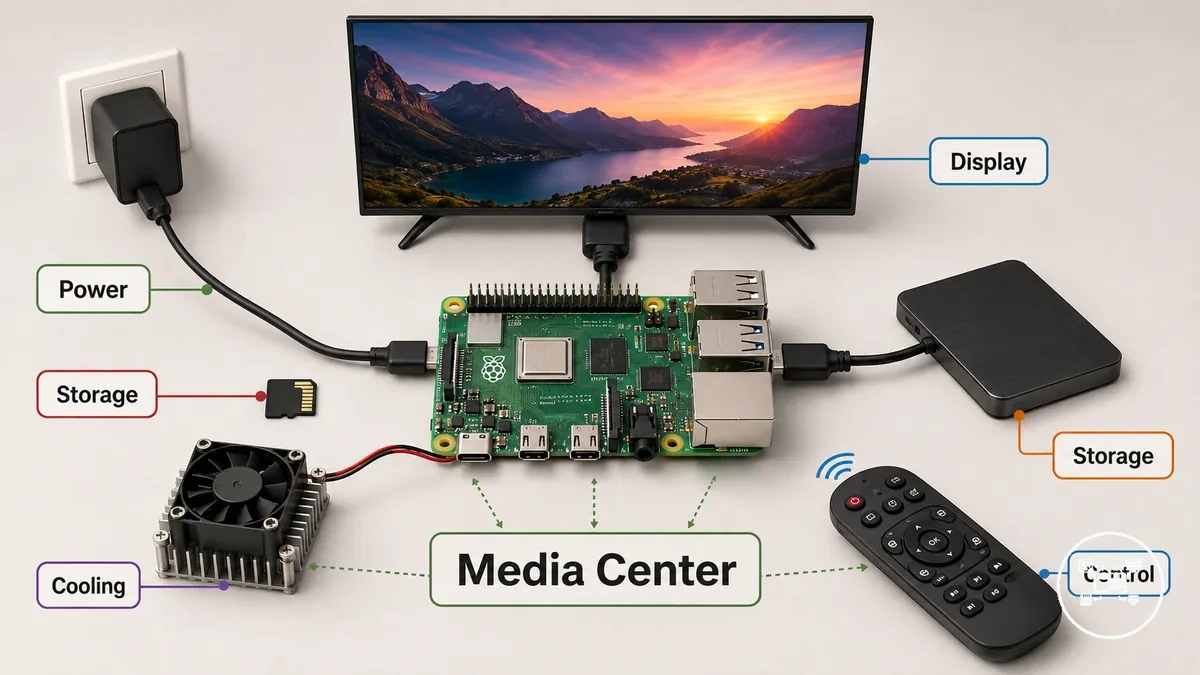
- Power supply: Raspberry Pi Ltd. specifies a 5 V, 5 A (25 W) USB-C power supply for Raspberry Pi 5 to deliver full processor performance and sufficient USB power for external peripherals. A 5 V, 3 A supply can operate the board, but Raspberry Pi Ltd. notes that USB peripheral power is reduced under this configuration.
- Boot and media storage: Media-center operating systems normally boot from a 32 GB or larger microSD card, while large video collections are better stored on external USB SSDs or hard drives. For example, a 500 GB movie library exceeds the capacity of a 32 GB system card, making dedicated external storage a practical choice. Additional storage considerations are covered in storage accessories for media files.
- Display connection: According to Raspberry Pi Ltd., Raspberry Pi 5 provides two micro-HDMI ports, each supporting display output of up to 4K resolution at 60 Hz. The required cable therefore depends on the Raspberry Pi model and the display connector in use. More information is available in display and cable accessories.
- Cooling: Passive heatsinks are suitable for continuous media playback with modest thermal output, while active cooling using a heatsink and fan helps maintain clock speeds during sustained CPU-intensive tasks such as media indexing, transcoding, or simultaneous background services.
- Input and control: USB keyboards, Bluetooth keyboards, wireless air mice, and infrared or Bluetooth media remotes all provide playback control. The most suitable option depends on whether the Raspberry Pi is operated from a desktop monitor, living-room television, or home-theatre environment.
Selecting each component according to the Raspberry Pi model, storage requirements, display configuration, and expected workload creates a balanced media-center system with fewer compatibility issues and a clearer upgrade path as storage capacity or playback requirements increase.
HDMI, Display, and Audio Connections
HDMI, display, and audio compatibility for a Raspberry Pi media center depends on matching the Raspberry Pi model with the correct display connector, HDMI cable, display resolution, and audio output method. According to Raspberry Pi Ltd., Raspberry Pi 5 provides two micro-HDMI ports, each supporting display output of up to 3840 × 2160 (4K) at 60 Hz, so televisions and monitors with a standard HDMI input require a compatible micro-HDMI-to-HDMI cable for direct connection.
HDMI, display, and audio compatibility for a Raspberry Pi media center depends on matching the Raspberry Pi model with the correct display connector, HDMI cable, display resolution, and audio output method.
The image below illustrates the connector differences between the Raspberry Pi, HDMI cable, television, and audio output path, helping identify which ports must match before assembling a media-center system.
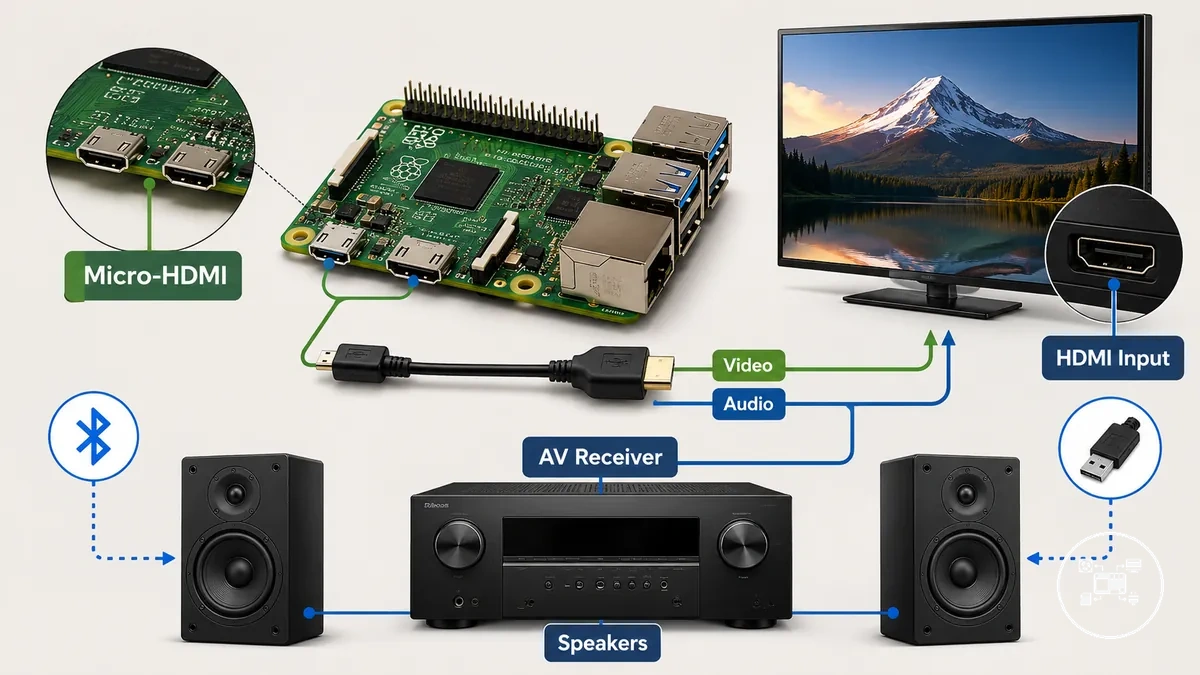
According to the HDMI Licensing Administrator specification, HDMI transmits uncompressed digital video and digital audio through a single cable when both connected devices support HDMI audio. This means a separate analogue audio cable is unnecessary for most televisions and AV receivers, although speakers connected through the Raspberry Pi's Bluetooth or USB interfaces use different audio paths.
According to the HDMI Licensing Administrator specification, HDMI transmits uncompressed digital video and digital audio through a single cable when both connected devices support HDMI audio.
For example, according to Raspberry Pi Ltd., a Raspberry Pi 5 connected to a 4K television with a compatible micro-HDMI-to-HDMI cable can output 3840 × 2160 resolution at 60 Hz while transmitting digital audio over the same HDMI connection. If the television displays video but no sound, Microsoft and HP support documentation recommend verifying that the HDMI display is selected as the active audio playback device because operating systems manage video output and audio routing independently.
Storage for Media Libraries and Playback
Storage for Raspberry Pi media libraries and playback should be selected according to media-library capacity, supported boot devices, and the intended playback workload. According to Raspberry Pi Ltd., Raspberry Pi boots from a microSD card by default, while Raspberry Pi 5 also supports booting from USB mass-storage devices and compatible NVMe SSDs when used with supported hardware and firmware. This allows the operating system and media library to be separated when additional storage capacity is required.
This allows the operating system and media library to be separated when additional storage capacity is required.
According to Raspberry Pi Ltd., a 32 GB microSD card provides sufficient capacity for most Raspberry Pi operating systems and media-center software, but large video libraries normally require external storage because high-resolution films occupy substantially more space than the operating system. Keeping the operating system on dedicated boot media and storing films on a USB SSD or external hard drive also simplifies storage upgrades without reinstalling the media-center software.
Keeping the operating system on dedicated boot media and storing films on a USB SSD or external hard drive also simplifies storage upgrades without reinstalling the media-center software.
For example, a 500 GB local movie collection cannot fit on a 32 GB microSD card, so the operating system remains on the boot card while the media library is stored on an external USB SSD or hard drive. According to Plex, SSDs improve metadata indexing and library management, whereas high-capacity hard disk drives remain a practical option for storing large media collections intended primarily for sequential video playback.
For media-center use, storage capacity, supported boot compatibility, and long-term library size are more important selection criteria than interface speed alone.
For media-center use, storage capacity, supported boot compatibility, and long-term library size are more important selection criteria than interface speed alone. Once media files are read fast enough to sustain uninterrupted playback, increasing storage capacity usually provides greater practical benefit than replacing a functioning storage device solely for a faster interface.
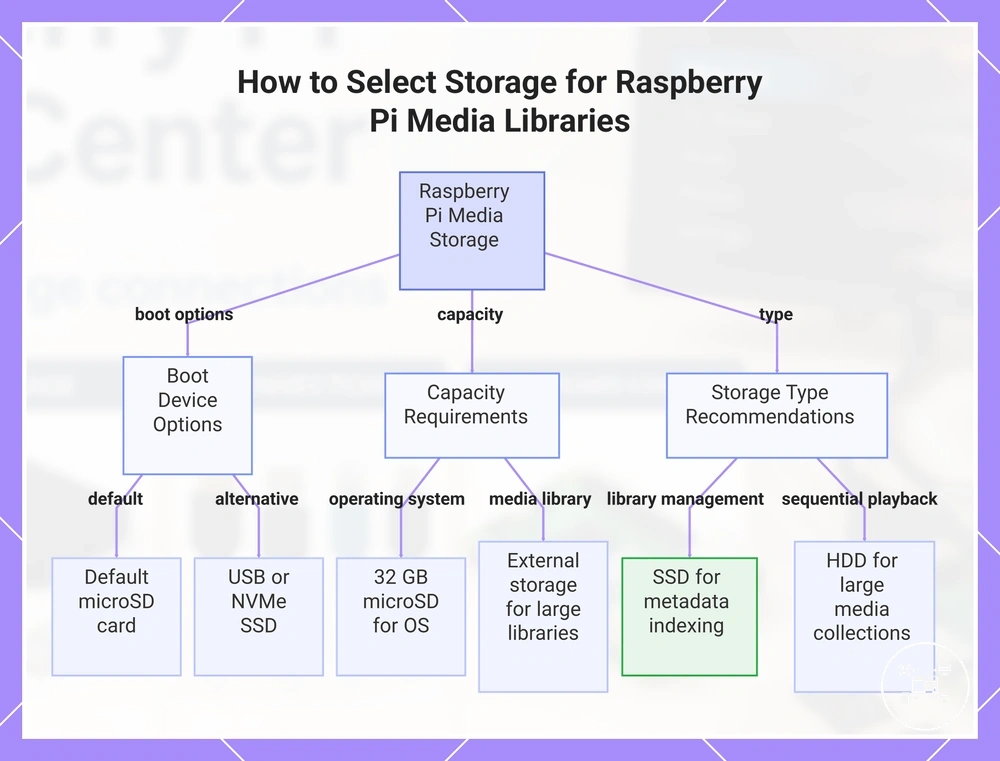
This chart shows the key storage selection criteria for Raspberry Pi media libraries, including boot device options, capacity requirements, and storage type recommendations.
This chart shows the key storage selection criteria for Raspberry Pi media libraries, including boot device options, capacity requirements, and storage type recommendations.
Remote Control Accessories for Media Navigation
Remote control accessories for Raspberry Pi media navigation include USB or Bluetooth keyboards, RF remotes that emulate keyboard commands, infrared remotes with compatible receivers, and smartphone or browser-based controls. Each method suits a different interaction need: compact remotes handle routine playback, keyboards support text entry, and phone-based controls provide navigation without a dedicated handset.
Each method suits a different interaction need: compact remotes handle routine playback, keyboards support text entry, and phone-based controls provide navigation without a dedicated handset.
The Official Kodi Wiki states that many RF and Bluetooth remotes emulate a keyboard interface or standard multimedia keys, allowing Kodi to process commands such as play, pause, volume, and directional navigation. Kodi also identifies MCE-style infrared remotes as compatible with Linux when paired with a supported USB IR receiver, although available buttons and setup requirements remain specific to the receiver, operating system, and remote protocol.
For example, suppose a Raspberry Pi media center is operated from a sofa 3 metres from the television.
For example, suppose a Raspberry Pi media center is operated from a sofa 3 metres from the television. A wireless remote can provide directional and playback commands from that position, while a Bluetooth or RF keyboard becomes more practical when the user must enter a 20-character search phrase or configure network credentials; these figures are illustrative usage conditions rather than manufacturer-stated operating limits.
USB keyboards remain useful during installation and troubleshooting because they provide direct text input without remote-key mapping, while compact remotes reduce the number of controls presented during everyday viewing. Smartphone and web controls are appropriate when the media-center software supports them and the controller shares the required network connection, so their usability is conditional on software configuration rather than Raspberry Pi hardware alone.
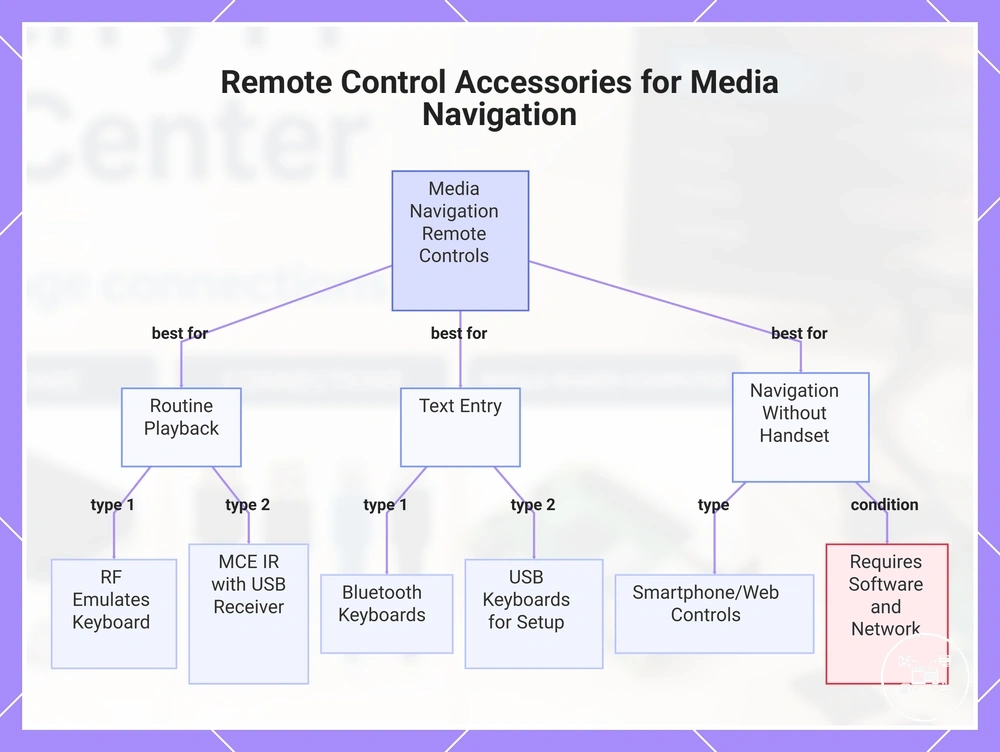
This chart categorizes remote control options for Raspberry Pi media centers by their primary interaction needs: routine playback, text entry, and handset-free navigation.
This chart categorizes remote control options for Raspberry Pi media centers by their primary interaction needs: routine playback, text entry, and handset-free navigation.
Choosing Media Center Accessories Based on Build Requirements
Raspberry Pi media center accessories should be selected by matching four primary requirements: Raspberry Pi model compatibility, storage capacity, display and audio configuration, and the preferred control method. According to Raspberry Pi Ltd., Raspberry Pi 5 is designed for a 5 V, 5 A (25 W) USB-C power supply and provides two micro-HDMI ports, so compatible accessories must support those interfaces rather than connectors used on earlier Raspberry Pi models.
Storage should be chosen according to the size of the media library instead of the operating system alone.
Storage should be chosen according to the size of the media library instead of the operating system alone. Raspberry Pi documentation states that Raspberry Pi 5 can boot from a microSD card, supported USB mass storage, or compatible NVMe storage, while current media-center installations commonly use a 32 GB microSD card for the operating system. For example, a 750 GB video library exceeds the capacity of a 32 GB boot card, making an external USB SSD or hard drive the practical storage location for media files while leaving the operating system on dedicated boot media.
Display requirements determine the correct video accessories, while usage patterns determine the most suitable input device.
Display requirements determine the correct video accessories, while usage patterns determine the most suitable input device. According to Raspberry Pi Ltd., Raspberry Pi 5 supports up to two 4K displays at 60 Hz, so a single-television installation requires one compatible micro-HDMI connection, whereas a dual-display setup requires two compatible display cables. A compact Bluetooth or infrared remote is appropriate for routine playback, while a wireless keyboard provides faster text entry when searching media libraries or configuring software.
Users comparing grouped purchases with individual hardware selection can review kit versus individual parts before deciding which approach matches their build requirements.
Users comparing grouped purchases with individual hardware selection can review kit versus individual parts before deciding which approach matches their build requirements. Readers planning additional Raspberry Pi projects can also compare accessories by project type because media centers, home automation systems, robotics projects, and educational builds prioritise different accessory combinations.
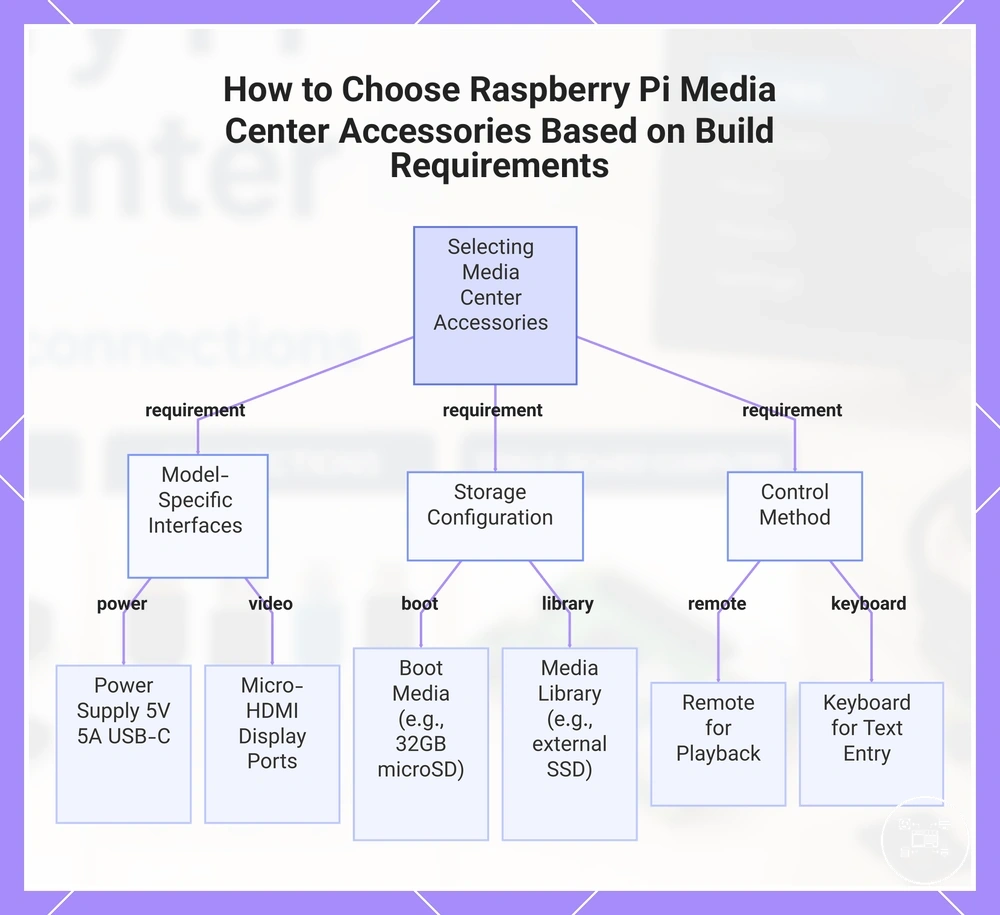
This chart shows the three main requirements for selecting Raspberry Pi media center accessories: model-specific interfaces, storage configuration, and control method.
This chart shows the three main requirements for selecting Raspberry Pi media center accessories: model-specific interfaces, storage configuration, and control method.
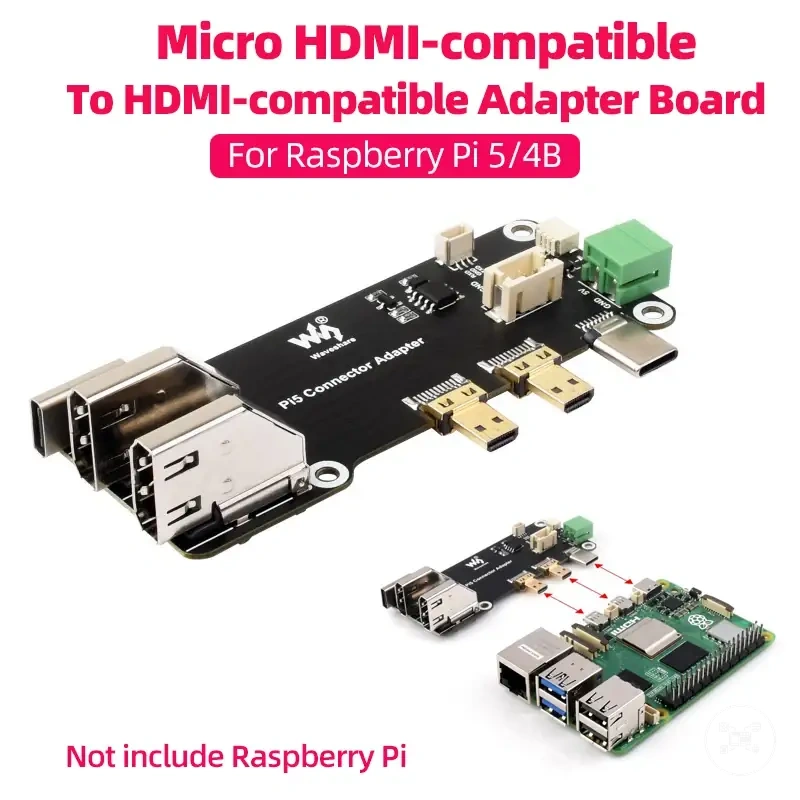
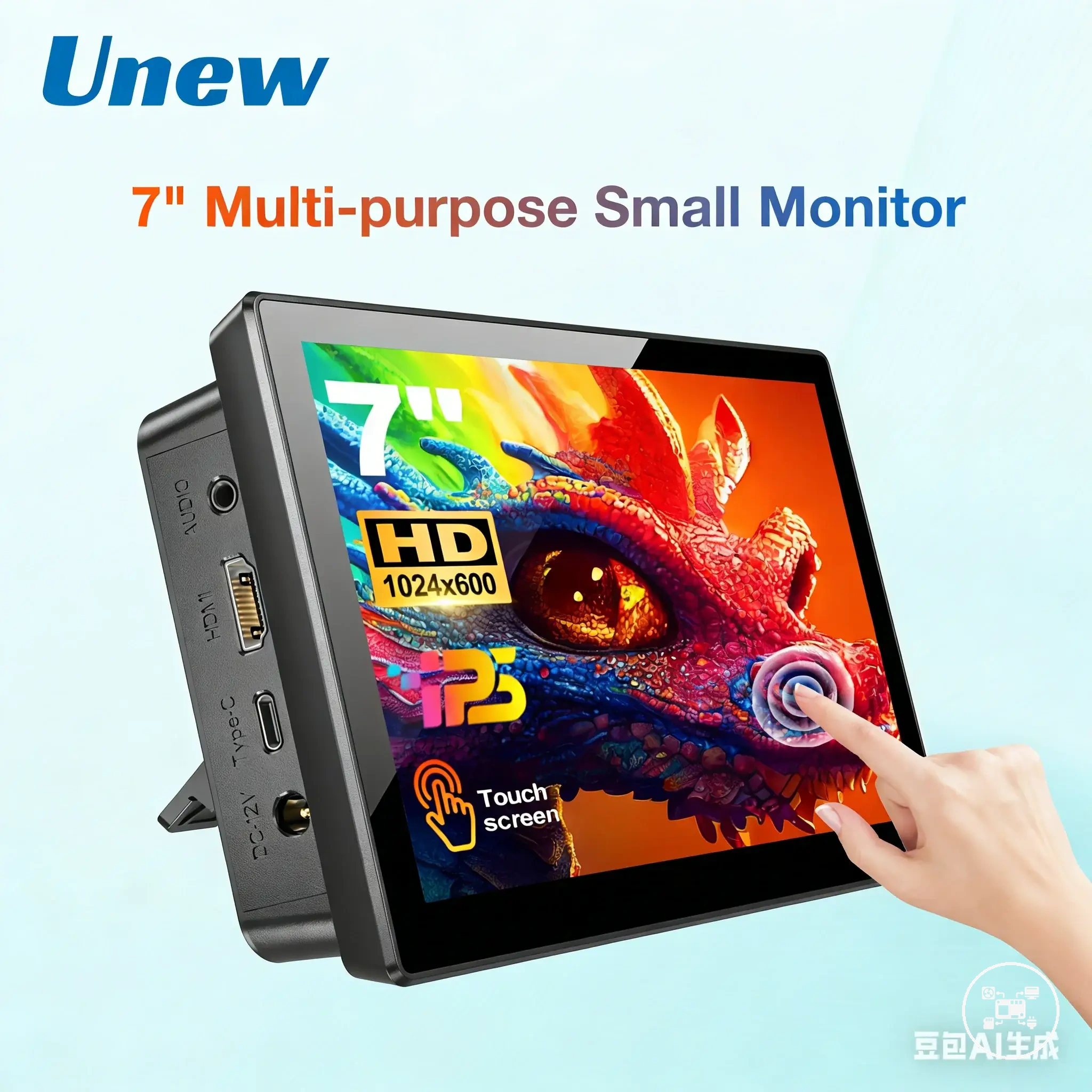
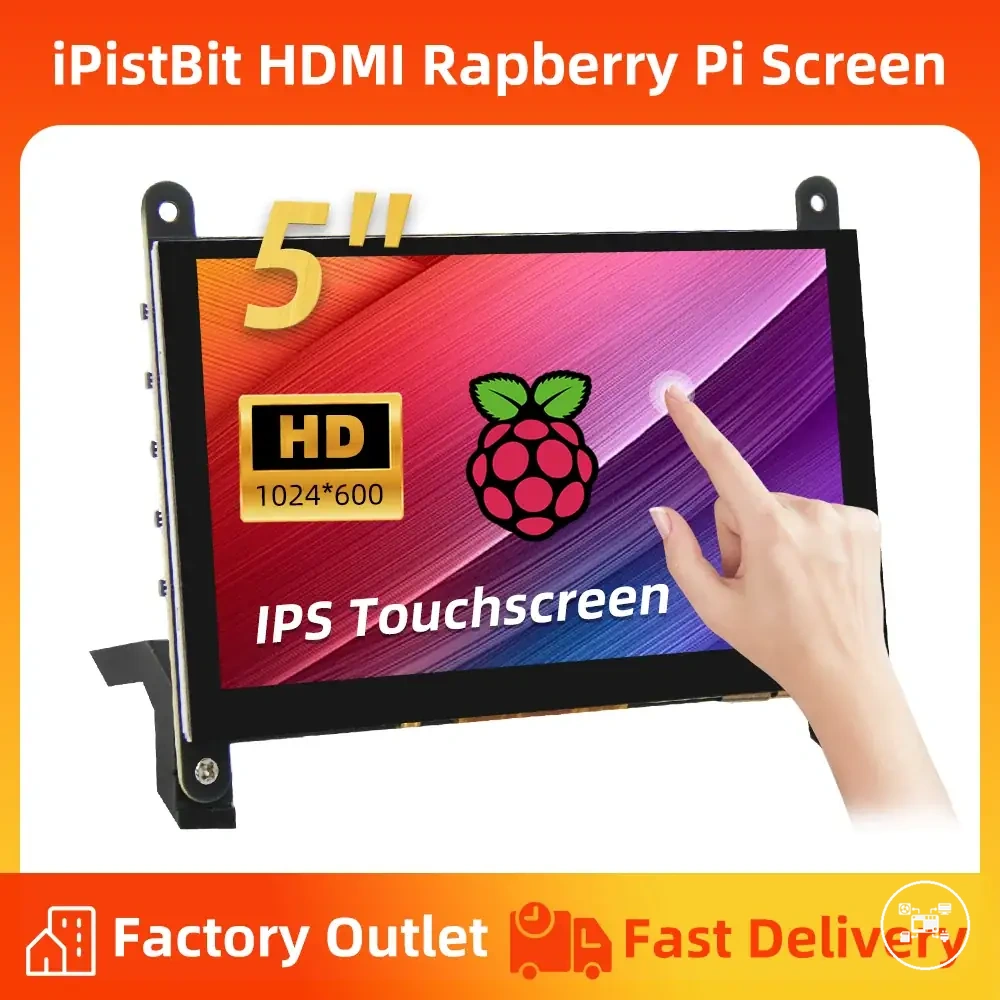
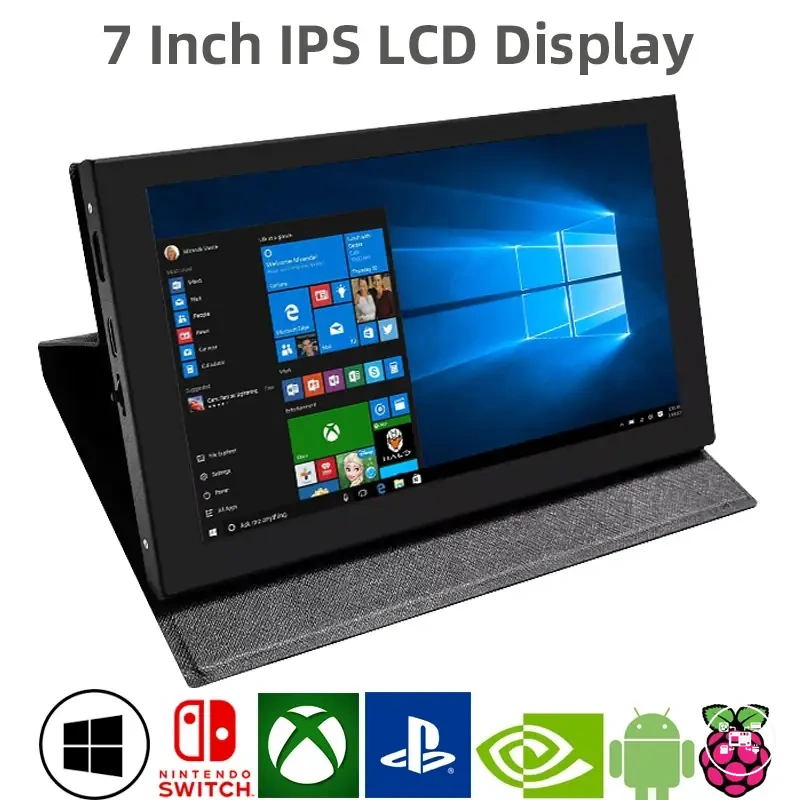
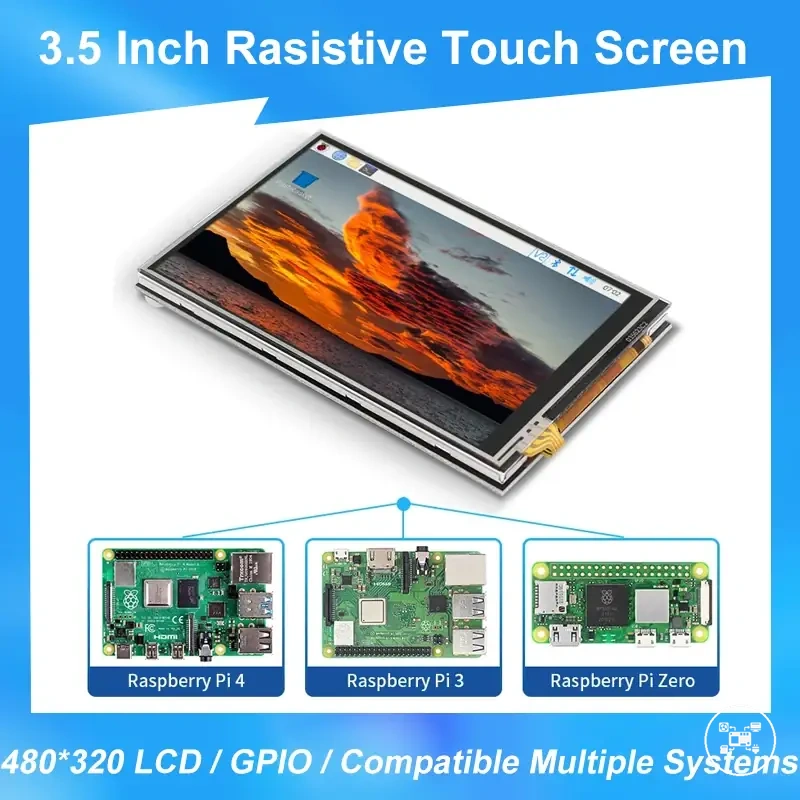
The products below are useful examples for comparing available options. Before buying, check that the compatibility criteria, key features, and product details match your needs.
Media Cases and Cooling for Long Playback Sessions
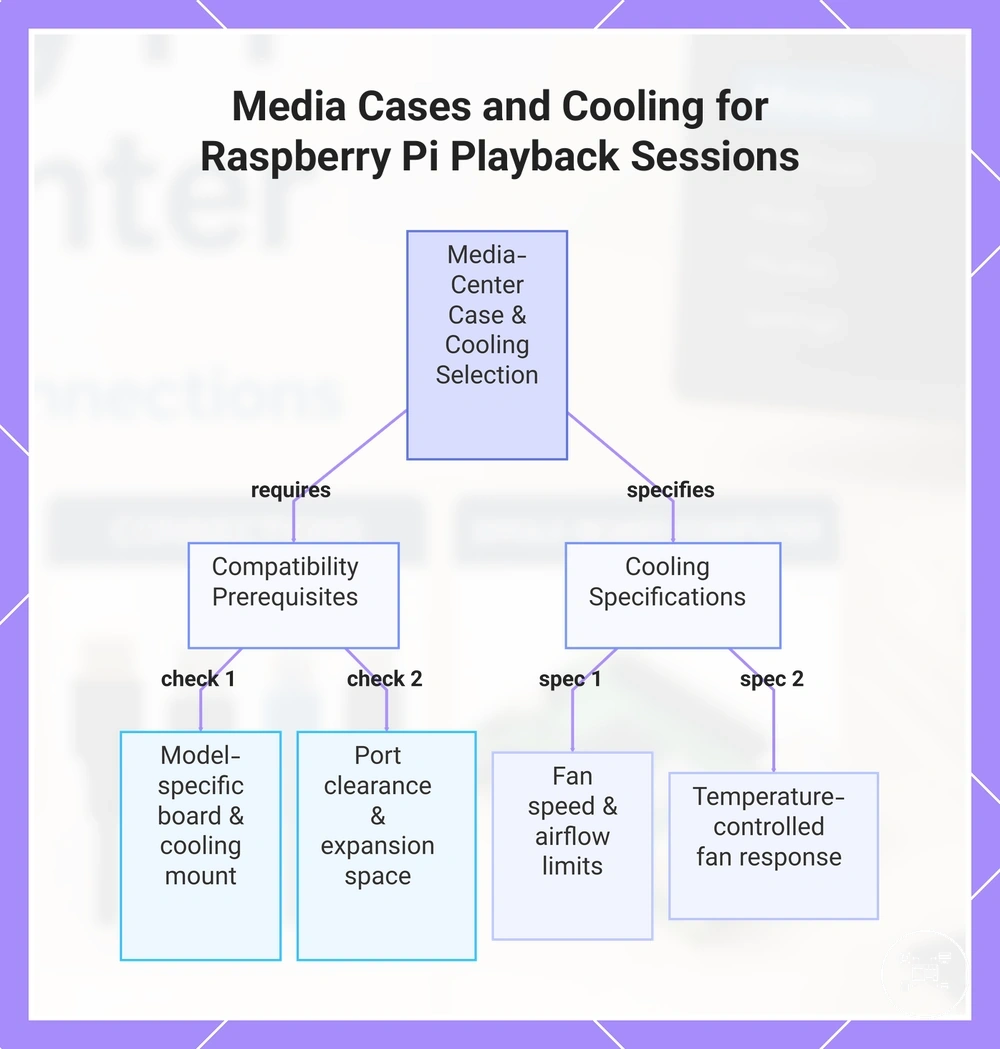
Media cases and cooling accessories for long Raspberry Pi media-center sessions must match the exact board generation, cooling mount, fan connector, connector layout, and installed expansion hardware. For Raspberry Pi 5, compatible options include a model-specific ventilated case with an integrated fan or the dedicated Raspberry Pi Active Cooler; Raspberry Pi Ltd. specifies that both use temperature-controlled active cooling designed for Raspberry Pi 5. :contentReference[oaicite:0]{index=0}
specifies that both use temperature-controlled active cooling designed for Raspberry Pi 5.
Case compatibility requires unobstructed access to the USB-C power input, micro-HDMI outputs, USB ports, GPIO header, and any storage adapter used by the media center. The official Raspberry Pi 5 Case includes a 12 mm × 17 mm × 4 mm heatsink and a fan powered through the board’s four-pin fan header, while its removable lid and breakout slot support cable and GPIO access; a case lacking equivalent clearance can obstruct ports or conflict with add-on hardware. :contentReference[oaicite:1]{index=1}
Cooling requirements increase when playback runs alongside sustained tasks such as library indexing, server processes, or software transcoding.
Cooling requirements increase when playback runs alongside sustained tasks such as library indexing, server processes, or software transcoding. Raspberry Pi Ltd. specifies a maximum fan speed of 8,000 RPM ±15% for both the Raspberry Pi 5 Case fan and Active Cooler, with maximum airflow of 2.79 CFM for the case fan and 1.09 CFM for the Active Cooler; the two airflow figures describe different assemblies and should not be treated as directly interchangeable performance ratings. :contentReference[oaicite:2]{index=2}
states that the default firmware starts the Raspberry Pi 5 cooling fan at 60°C , increases its speed at 67.5°C , and raises it to full speed at 75°C .
For example, Raspberry Pi Ltd. states that the default firmware starts the Raspberry Pi 5 cooling fan at 60°C, increases its speed at 67.5°C, and raises it to full speed at 75°C. During a long playback session with concurrent indexing, a compatible temperature-controlled cooler can therefore respond automatically as processor temperature crosses those thresholds, while a passive enclosure provides no fan-driven response. :contentReference[oaicite:3]{index=3}
This compatibility check keeps cooling airflow and media connections unobstructed without assuming that every Raspberry Pi case accepts every cooling accessory.
Before selecting a media-center case, confirm the Raspberry Pi model, cooling method, fan-header access, port clearance, and space required by HATs or storage adapters. This compatibility check keeps cooling airflow and media connections unobstructed without assuming that every Raspberry Pi case accepts every cooling accessory.
Before selecting a media-center case, confirm the Raspberry Pi model, cooling method, fan-header access, port clearance, and space required by HATs or storage adapters.
This chart shows the key compatibility requirements and cooling specifications for selecting a media-center case and cooling solution for a Raspberry Pi, especially for long playback sessions.
Common Raspberry Pi Media Center Accessory Questions
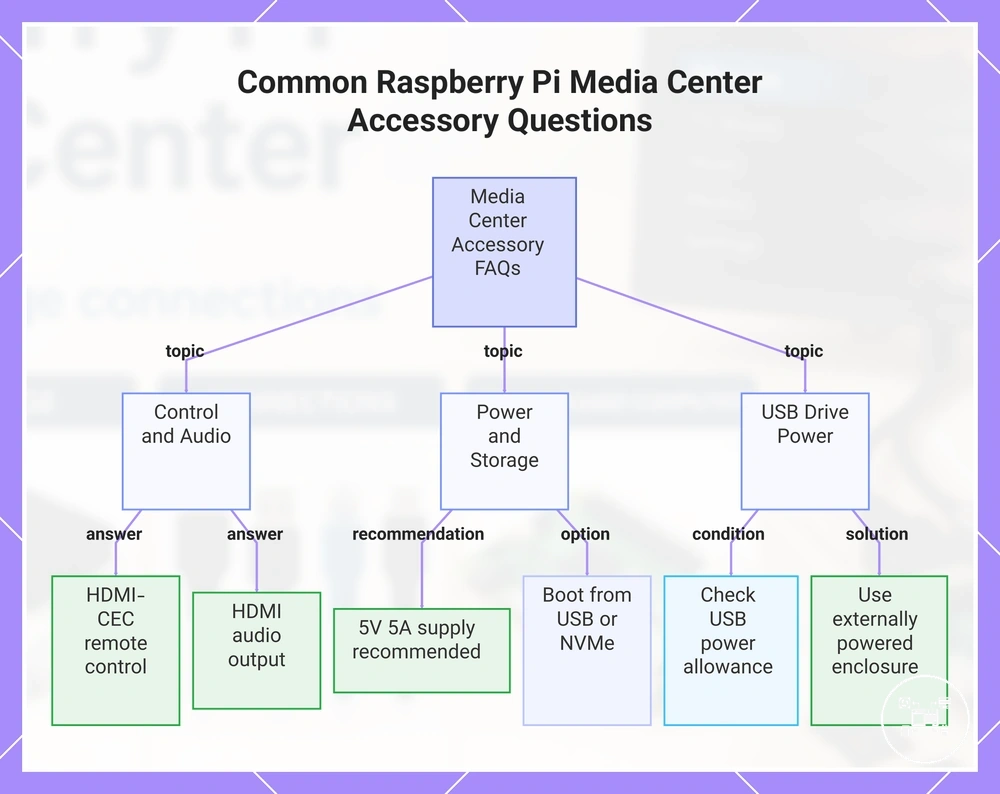
Do I need a separate media remote? No, provided the television or AV receiver supports HDMI-CEC and CEC is enabled in the media-center software. The Official Kodi Wiki states that Kodi can receive compatible television-remote commands through the HDMI connection; otherwise, use a USB, Bluetooth, radio-frequency, or infrared controller supported by the operating system.
Can Raspberry Pi 5 use a 5 V, 3 A power supply?
Can Raspberry Pi 5 use a 5 V, 3 A power supply? Yes, when the attached peripherals remain within the reduced USB power allowance. Raspberry Pi Ltd. specifies that Raspberry Pi 5 limits USB peripheral current to 600 mA when powered by a 5 V, 3 A supply and recommends a 5 V, 5 A supply when higher-current devices such as bus-powered SSDs or hard drives are attached.
Can a media center boot from external storage?
Can a media center boot from external storage? Yes, supported Raspberry Pi models can boot from USB mass storage, while newer models such as Raspberry Pi 5 can also boot from NVMe storage connected through supported PCIe hardware. Raspberry Pi documentation identifies microSD, USB mass storage, and NVMe as boot-media categories, but the selected device must be present in the configured boot order and receive sufficient power.
No when the connected television, monitor, or AV receiver accepts HDMI audio.
Is a separate audio adapter required? No when the connected television, monitor, or AV receiver accepts HDMI audio. Raspberry Pi Ltd. states that Raspberry Pi single-board computers support digital audio through HDMI; use a USB audio device, Bluetooth audio device, or compatible audio HAT only when the playback equipment requires a different input.
Can a USB hard drive be powered directly by Raspberry Pi 5?
Can a USB hard drive be powered directly by Raspberry Pi 5? Only when the drive's required current remains within the USB power available from the selected supply configuration. A drive that disconnects, fails to start, or causes a power warning should use an externally powered enclosure or powered USB hub rather than relying on an unsupported current margin.
Where can I check the remaining installation steps?
Where can I check the remaining installation steps? Boot-media preparation, cable order, peripheral pairing, and initial connection checks are covered in the media center accessory setup guidance.
Boot-media preparation, cable order, peripheral pairing, and initial connection checks are covered in the media center accessory setup guidance.
This chart summarizes the answers to common questions about Raspberry Pi media center accessories, covering remote control, audio, power, storage, and USB drive power.
The products below are useful examples for comparing available options. Before buying, check that the compatibility criteria, key features, and product details match your needs.